

— Blogs —
—Products—
 Consumer hotline +8618073152920
 WhatsApp:+8615367865107
Address:Room 102, District D, Houhu Industrial Park, Yuelu District, Changsha City, Hunan Province, China
Time:2026-09-07 16:27:32 Popularity:297
Rain gauge troubleshooting starts by separating a missing communication response from a valid response reporting zero rainfall. No response points first to power, wiring or communication settings. A valid zero requires checks of the tipping mechanism, pulse path and rainfall-register definition. If controlled tipping produces the correct count but natural rainfall is low, investigate the funnel, instrument level, exposure and comparison period before replacing the electronics.
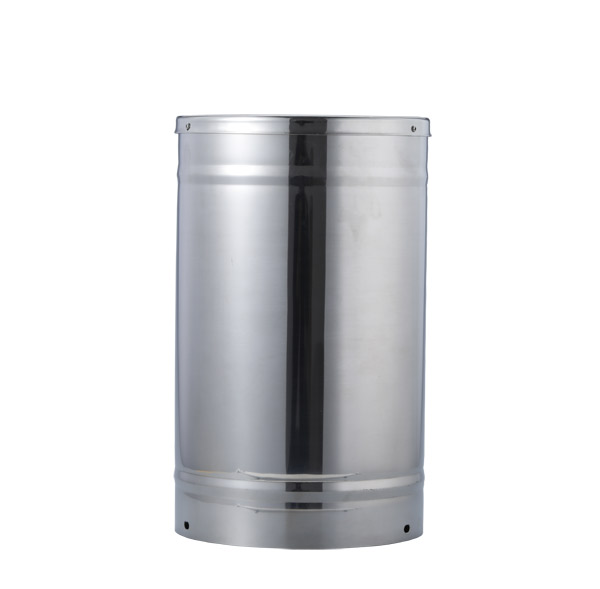
Do not begin by adjusting the bucket screws. First save the current configuration and inspect the raw reading nearest to the instrument. A blank dashboard, a zero register and an unchanged cumulative counter can look similar to an operator, but they require different tests.
| Symptom | First useful test | Likely investigation path |
|---|---|---|
| No response from an RS485 transmitter | Read the device locally with the correct serial settings | Supply voltage, address, A/B wiring, cable or transmitter |
| Valid response, zero rainfall during rain | Observe bucket movement and the raw count together | Blocked collection path, restrained bucket, pulse detection or wrong register |
| Local value changes but the platform does not | Compare the logger record with the uploaded record | Channel mapping, timestamps, upload or display calculation |
| Rainfall is consistently too low | Count controlled tips, then check a measured water volume | Wrong mm-per-tip factor, missed pulses, drainage or catch losses |
| False rainfall appears in dry weather | Check raw pulse events and maintenance history | Contact bounce, interference, vibration, cleaning water or counter handling |
For a pulse-output gauge, there is no Modbus address to read at the bare reed switch. Check the pulse input at the data logger. For an RS485 version, a transmitter converts the measurement into digital data; that transmitter and its power supply add another possible fault location.
On an RS485 installation, measure the supply at the transmitter under load, then confirm its address, baud rate, parity and stop-bit configuration. Test with one device on a short cable if the shared network is suspect. A device that works locally but fails on the installed cable needs a wiring, power-drop or network investigation, not a bucket recalibration.
Read the rainfall register directly and record the response with its timestamp. A valid checksum establishes message integrity, not correct rainfall interpretation. Check whether the value is a tip count, an interval depth or an accumulated depth, and whether the transmitter clears or retains it after a restart.
For a passive reed-contact output, isolate the circuit before checking continuity. Slowly tip the bucket while observing the contact state with suitable test equipment. Do not apply an external voltage to an unidentified signal terminal. If the contact changes at the sensor but the logger misses it, inspect the intervening cable and the input configuration.
A pulse counter must recognize the actual event. Counting both closing and opening edges can double rainfall; a filter that rejects the real pulse width can lose tips. A general digital input may not capture short events reliably unless it supports the required counting function. Confirm the input behavior instead of assuming every DI terminal is a rain-gauge counter.
Remove only the cover needed for inspection and check that transport restraints have been removed. The bucket should move freely without rubbing the housing. Slowly move it through several complete tips while watching the raw counter. Record observed tips and accepted counts separately.
If ten observed tips produce ten accepted counts, the mechanical-to-electrical chain is responding at that test speed. This does not prove the calibrated water volume per tip. If counts are missing, repeat at different controlled intervals and check the switch, wiring and logger input. If extra counts appear, investigate contact bounce or interference before changing the rainfall multiplier.
The data collector is part of this test. Compare its local count with its stored rainfall channel and the remote display. A correct local count followed by an incorrect daily total places the fault downstream of the bucket, even if the final symptom is described as a faulty rain gauge.
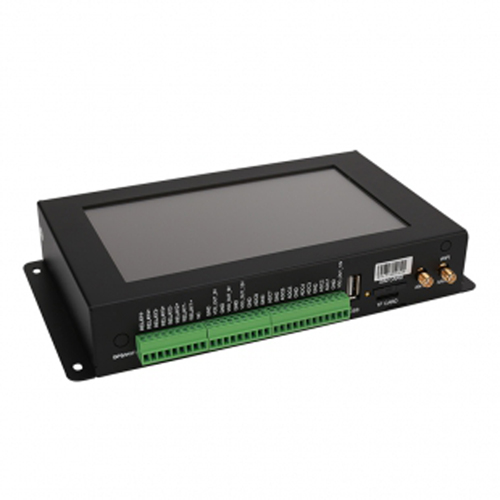
The NiuBoL NBL-W-RS 0.5 mm tipping bucket rain gauge has a nominal 200 mm collection diameter. Its geometry provides a useful check on the relationship between test-water volume, rainfall depth and expected tips.
| 0.5 mm NBL-W-RS parameter | Value | Troubleshooting significance |
|---|---|---|
| Collector diameter | 200 ±0.6 mm | Use the collection area when converting water volume to rainfall depth |
| Resolution | 0.5 mm per tip; approximately 15.7 mL | The logger multiplier must match this bucket version |
| Rainfall intensity range | 0-4 mm/min | An unrestricted bottle pour may exceed the operating range |
| Accuracy specification | ±4% at the specified indoor test condition of 2 mm/min | Do not treat a hand-tip test as verification of this tolerance |
| Output choices | Reed-contact pulse, selected voltage output or RS485 | Use the procedure for the actual output version |
| Powered versions | 5 VDC or 12-24 VDC, according to configuration | Do not infer the supply from the sensor name alone |
| Operating temperature and cable | 0-50 C; standard cable 5 m | Freezing operation and extended cable runs need separate consideration |
For a 200 mm inlet, the collection area is approximately 314.16 cm2. A depth of 10 mm corresponds to about 314 mL of water and nominally 20 tips at 0.5 mm per tip. Delivering that volume over five minutes represents approximately 2 mm/min. These calculated values are a diagnostic example, not a replacement for a controlled calibration procedure.
Wet the collection path as required by the test procedure and use a consistent initial bucket position. Water retained on dry surfaces and a partly filled final bucket can affect a short test. One tip in a 20-tip test represents 5% of the expected count, already larger than a 4% tolerance. A short functional test therefore cannot establish that accuracy specification; a calibration needs sufficient volume, controlled flow and quantified reference uncertainty.
Record the delivered volume, delivery time, observed tips and received counts. Water flowing through the funnel without normal bucket movement suggests a mechanical problem. Normal movement with missing counts points toward detection or acquisition. Do not bend the bucket or turn calibration stops simply to force agreement with an uncontrolled test.
Check the inlet rim with the instrument secured, and recheck the leveling indication after tightening the mounting hardware. Inspect the funnel, filter and outlet for leaves, insects and sediment. Clear contamination without enlarging the orifice or altering the bucket surface. Make sure the drain is open and the bucket cannot contact a cable or the cover.
If the gauge passes the volume test but catches less natural rainfall, look beyond the electronics. Trees and buildings can shelter the inlet; turbulent wind can reduce catch; splashing from a nearby surface can add water. The reference gauge must have comparable exposure and observation times before its total is treated as a reliable comparison.
A standard unheated liquid-precipitation gauge cannot be assumed to record snow correctly. Frozen material may block the inlet and later melt, producing rainfall at the wrong time. Select an appropriate heated or all-precipitation configuration when winter observations are required, rather than correcting the delayed total with a software factor.
Keep three values separate: bucket resolution, register scaling and the reporting interval. On the 0.5 mm NBL-W-RS RS485 format, a raw rainfall value of 10 represents 1.0 mm after division by ten. It does not mean ten bucket tips. Two 0.5 mm tips can therefore produce a 1.0 mm increase while the raw register increases by ten.
For a cumulative counter, calculate an interval from successive readings rather than summing the entire counter at every poll. For an interval register, establish when it is updated or cleared. Do not apply the same calculation to both. Counter resets and rollover require explicit handling; a negative difference should not silently become negative rainfall.
A 50 mm weekly total and a 0.7 mm register reading are not, by themselves, contradictory. They may cover different periods or represent different quantities. Compare the same time boundary, timezone, reset rule and unit. Also check whether missing uploads were backfilled or whether the platform is showing only the most recent interval.
After a service visit, mark the artificial tips and test water in the record. Otherwise, a successful repair test becomes a false rainfall event in the historical database. Keep the raw service record while excluding that period from operational rainfall totals according to the site's data-quality procedure.
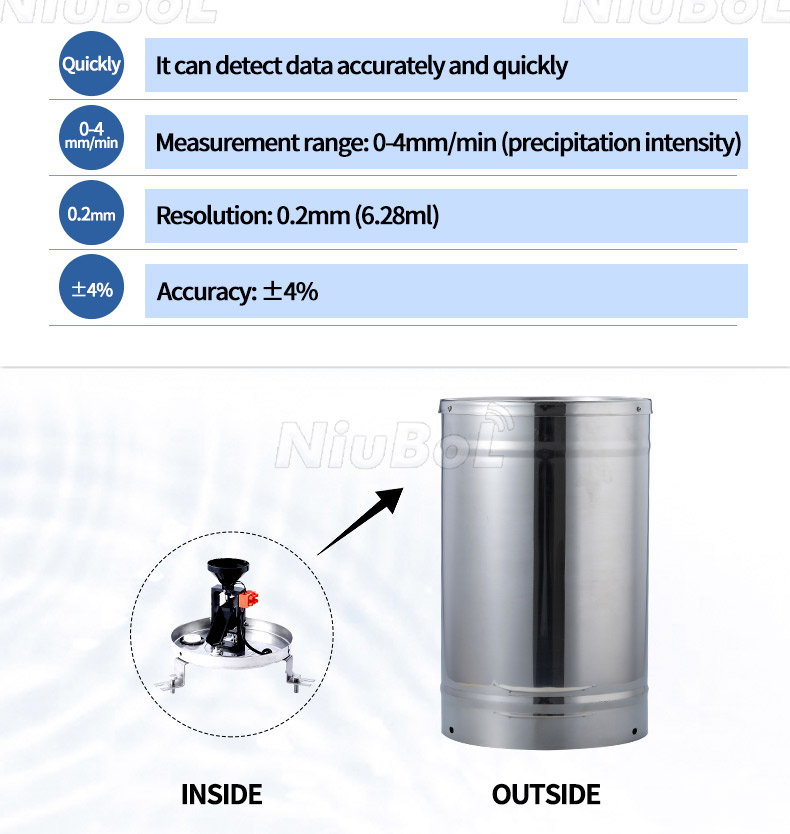
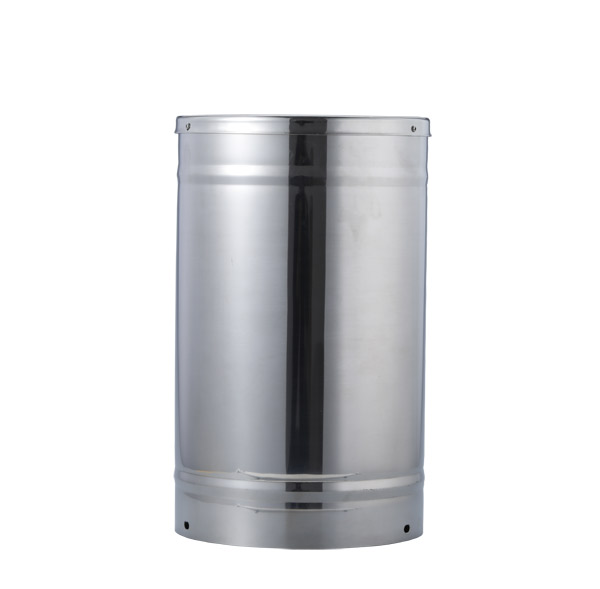
The final gauge illustration shows a 0.2 mm configuration. Its volume per tip differs from the 0.5 mm NBL-W-RS example above; use the factor on the delivered gauge and verify the receiver setting before comparing totals.
The transmitter can communicate even when no valid tip reaches it. Check the collection path, transport restraint, bucket motion and pulse detection. Also confirm that the selected register represents the rainfall quantity you expect.
Check the specified intensity range, bucket drainage and the logger's ability to accept closely spaced pulses. A slow hand test does not reproduce dynamic water flow or the highest event rate.
Not if the receiver converts tip counts using the old factor. Ten tips represent 2 mm with a 0.2 mm bucket and 5 mm with a 0.5 mm bucket. For a digital transmitter already reporting depth, verify its scale separately rather than applying the tip factor again.
Only if testing isolates a failure in the switch or its actuation. A blocked funnel, poor level, wrong counter scale or sheltered inlet can produce the same symptom. Establish where observed tips stop matching recorded data before ordering a replacement.
Provide the exact model and resolution, output type, measured supply, wiring photographs, communication settings and raw readings before and after controlled tips. Include the logger model and the number of observed versus recorded tips.
After blockage, level and pulse acquisition have been checked, a repeatable volume error under a controlled test can justify calibration. A damaged mechanism may need repair first. Keep the test flow and acceptance conditions consistent with the required measurement performance.
Demonstrate that controlled events produce the expected raw counts and depth changes, that the same values reach the platform, and that test rainfall is identified in the history. Follow with an appropriate natural-rain comparison; a communication response alone does not verify catch performance.
Effective rain gauge troubleshooting follows the measurement chain: catch, bucket movement, pulse generation, acquisition and accumulation. Keep the initial checks non-invasive, use measured water for quantitative testing and separate a mechanical fault from a reporting error. This approach identifies whether the installation needs cleaning, reconfiguration, calibration or a replacement part.
Related recommendations
Sensors & Weather Stations Catalog
 Agriculture Sensors and Weather Stations Catalog-NiuBoL.pdf
Weather Stations Catalog-NiuBoL.pdf
Agriculture Sensors Catalog-NiuBoL.pdf
Water Quality Sensor Catalog-NiuBoL.pdf
Related products
 Combined air temperature and relative humidity sensor
 TDR Soil Moisture & Temperature Sensor for irrigation| RS485 |4-20mA| NBL-S-THR
 Soil pH sensor RS485 soil Testing instrument soil ph meter for agriculture |NBL-S-PH
 Wind Speed sensor Output Modbus/RS485/Analog/0-5V/4-20mA
 Tipping bucket rain gauge for weather monitoring auto rainfall sensor RS485/Outdoor/stainless steel
 Pyranometer Solar Radiation Sensor 4-20mA/RS485
Screenshot, WhatsApp to identify the QR code
WhatsApp number:+8615367865107
(Click on WhatsApp to copy and add friends)